Remove Video Background in Seconds
Easily remove the background from your videos and get a clean, professional result — no green screen, no complex editing, just upload and download.
-
Fast & Easy
Get results in seconds
-
High Quality
Clean, natural edges
-
No Installation
Works online in your browser
-
100% Secure
Your files are safe with us
Output quality
Higher quality takes longer to process
Keep original
Your video is processed inside this tab — nothing is uploaded to a server.
Remove Video Background in 3 Simple Steps
Get professional results in just a few clicks. It's fast, easy, and doesn't require any special skills.
Upload Your Video
Drag and drop your video or click to browse.
Auto Process
Our AI will automatically remove the background.
Download Result
Get your video with a transparent background.
See Video Background Removal in Action
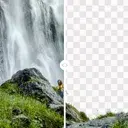
Drag the slider to compare your original footage with the video background removed by AI.
Talking Heads Video Background Removal
Clean hair edges and stable fingers for professional creators.
E-commerce Ads Video Background Removal
Shoot once, composite everywhere with crisp edges.
Pet & Animal Video Background Removal
Fine fur detail preserved frame by frame, no green screen needed.
Automotive Video Background Removal
Swap any driving plate or studio backdrop without a reshoot.
Built for Real Video Background Removal Workflows
Whatever you create, clean video background removal makes it better.
Remove Video Backgrounds from Talking Heads That Look Professional
Fuzzy edges ruin a cutout. You need speed and quality.
Knowledge creators, reviewers and real estate agents record in cluttered offices or homes. Use the video background remover to drop the room and replace it with a modern office, a minimal wall or a dynamic backdrop — with clean hair edges and fingers that stay intact.
Remove Video Background for FreePut Products on Any Backdrop Without Reshooting
One take, every placement. No studio rental, no reshoot.
Shoot the product spin once on whatever surface you have, then cut the background out and drop the clip onto a seasonal gradient, a lifestyle plate or a plain white listing background. The same footage covers your store page, your paid ads and your reels.
Remove Video Background for FreeCut Subjects Out for Reels, Shorts and Social Clips
Vertical feeds reward a subject that pops off the background.
Layer a cutout over b-roll, over a solid brand colour or over your own screen recording. Because the export carries a real alpha channel, the clip drops straight into your editor and composites without a matte pass or a chroma key.
Remove Video Background for FreeSee the Difference
From simple videos to complex scenes, our tool delivers clean and professional background removal.
 Before
 After
After
 Before
 After
After



The Best Choice for Video Background Removal
AI-Powered Technology
Advanced AI for accurate and natural results.
Supports Multiple Formats
Works with MP4, MOV, AVI, WEBM and more.
High Resolution Output
Keep the original quality of your video.
Privacy & Security
Your files are safe and never stored.
Why Pros Choose Useful Tool Ai for Video Background Removal
The details that decide whether a cutout survives a timeline — edges, consistency and what you actually get to download.
Hair and fine edges hold up
Matting separates by subject rather than by colour, so flyaway hair, glasses frames and spread fingers survive the cut instead of turning into a hard outline.
Frames that agree with each other
Every frame is masked, then checked against its neighbours so the boundary stops shimmering at playback speed — the thing that gives a cheap cutout away.
A real alpha channel, not a white box
Download a WebM carrying transparency for the web, or a ZIP of PNG frames for your editor. Both composite straight away — no matte pass, no keying.
No green screen, no reshoot
A key needs a colour that appears nowhere else in frame. This works on footage already on your drive — a bedroom wall, an office, a street — with nothing to set up or relight.
Your footage never leaves the tab
Frames are decoded, masked and re-encoded in your browser. The only network request is the one-time model download, and it travels in one direction.
No account, no watermark, no credits
Nothing to sign up for and nothing to meter, because the work happens on your own processor rather than on a server we have to rent by the minute.
Video background removal FAQ
Green screens, alpha channels and why frame counts matter. Something missing? Ask us.
Yes, on exactly the same terms as the image tool: no account, no watermark and no per-file charge. Upload a clip, get the cutout back and keep it. If you need stills rather than footage, the image background remover works the same way.
No. A key needs a green screen because it separates by colour, so it has to be handed a colour that appears nowhere else in the shot. Matting separates by subject instead, which means it works on footage already sitting on your drive — a bedroom wall, an office, a street — with nothing to set up and nothing to relight.
A WebM carrying a real alpha plane for anything going on the web, or a ZIP of transparent PNGs, one per frame, for anything going into an editor. An MP4 is deliberately not offered as a transparent export, because the container cannot store transparency — asking for one would mean quietly filling the cleared area with a colour.
Because it is not one job, it is hundreds. Every frame is segmented on its own, so half a minute of 30 fps footage means nine hundred separate predictions, plus a decode and an encode on either side of them. A single photo asks the same model exactly one question.
No, and the architecture is what guarantees it rather than a promise in a policy. Frames are decoded, masked and re-encoded inside the browser tab. The only network request in the whole flow is the one-time model download, which is cached afterwards, and it travels in one direction.
Whatever your browser can already decode, which in practice covers MP4 and MOV from a phone or a camera, plus AVI and WebM. There is no transparency requirement on the way in — the whole point is that the clip arrives with a background and leaves without one.
Each frame is predicted independently, so a boundary the model is unsure about lands a pixel or two differently from one frame to the next, and at playback speed that reads as a shimmer. Comparing each mask against the frames either side of it and nudging them into agreement is the fix, and it is a planned pass rather than an afterthought.
Short to begin with — around a minute of 1080p — because raw frames are held in your tab rather than on a machine we rent. Longer clips, and a smarter window that streams frames through instead of holding them, come after the first release is stable.
Working with stills instead?
The same cutout quality for photos — and for photos it runs entirely in your browser, so nothing is uploaded at all.