Waiting…
Remove Background from PNG
Your PNG is allowed to be transparent. It simply is not yet. Drop it in and the same pixels come back with genuine emptiness behind the subject, cut on your own machine at the size you started with.
Or drop your files here, or press Ctrl + V to paste Pick one PNG or a whole folder
PNG, JPG, WEBP, AVIF, GIF, BMP and HEIC · up to 30 images · max 25 MB each
Nothing to hand? Borrow a PNG
Slide across and watch the stable go
Left of the handle is the PNG as it arrives. Right of it is the file the tool hands back — same horse, same pixels, nothing at all behind them.


The extension promises transparency. The pixels decide it.
This is the single most common reason people search for a PNG background remover: the file is already a PNG, so surely the white behind the subject should already be gone.
It is not, because the format only reserves room for an opacity value. What goes into that room is decided by whatever wrote the file, and a screenshot tool, a phone camera or a flattened export all write the same thing everywhere: completely solid. Until something rewrites those values, a PNG on white behaves exactly like a JPG on white — it just weighs more.
Rewrite the alpha channel

Four kinds of PNG that end up on this page
Different sources, same complaint — the subject is fine and the rectangle around it is not.
Screens
Screenshots and screen grabs
Every screenshot your operating system takes is a PNG with a solid rectangle behind it. Cutting a window, a phone frame or a chart out of one is the most common reason people land here.
Brand
Logos that arrived flattened
Half the brand packs in the world ship a logo as a PNG sitting on white. It looks right in the email it came in and wrong the moment it touches a coloured header.
Retail
Catalogue and storefront shots
Product photography exported as PNG keeps every pixel of the studio sweep. Lifting the item off it gives you one master you can drop onto any listing backdrop later.
Art
Renders, sprites and icon sheets
Render engines and icon exporters write PNG by default, often onto a checkerboard-coloured placeholder rather than actual emptiness. This replaces the placeholder with real alpha.
Inside the tab
How a PNG background is removed, pass by pass
Four operations between the drop and the download. Not one of them involves a network request.
-
1
Read
The PNG is opened off your disk in a worker thread and unpacked into raw pixels. Whatever alpha values it already carries are read in with it, not discarded.
-
2
Predict
A segmentation model studies a reduced copy and returns a grayscale map — one value per pixel, saying how much of it belongs to the subject rather than the scene.
-
3
Write alpha
That map is scaled back to full size and written into the fourth byte of every pixel. Red, green and blue are left exactly as the file had them.
-
4
Repack
The pixels are deflated back into a PNG-32 stream. Lossless in, lossless out, so a second pass through the tool changes nothing.
Three PNGs, three kinds of edge
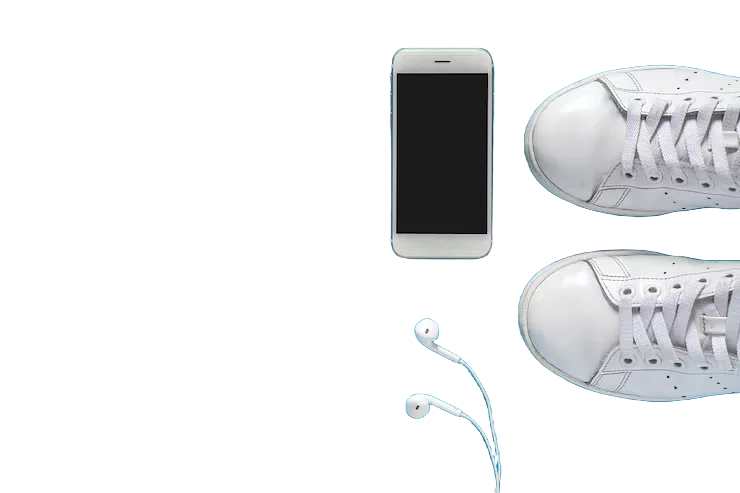
Animal hair, several separate objects and a rendered highlight. Each one asks something different of the mask.

PNG background removal FAQ
Opacity channels, white backdrops and file weight. Something missing? Ask us.
Put the PNG into the tool at the top of this page and wait a moment. The model works out where your subject ends, writes that boundary into the alpha channel and offers the finished file for download. You never draw a selection or touch an eraser, and a single image is usually done before you have finished reading this sentence.
PNG describes what a file is allowed to store, not what it happens to store. A screenshot, a camera export or a design saved without a cut-out layer is a PNG whose opacity channel reads solid from corner to corner. Removing the background is the step that puts genuine zeros in it.
Yes, and it does a better job than a colour-key eraser would. Picking out white pixels also eats the white parts of your subject — teeth, packaging, a shirt collar. The model separates by subject instead of by colour, so white stays where it belongs.
None. PNG stores pixels exactly rather than approximating them, so everything that survives the cut leaves the tool identical to how it arrived. Run the same image through five times and the fifth result matches the first byte for byte.
Two things stack up. Each pixel gains an opacity byte it did not previously carry, and the flat backdrop you just deleted was the easiest part of the image to compress. Trimming the canvas in tight around the subject usually claws most of the difference back.
No. Prediction happens on a reduced copy purely for speed, then the finished mask is stretched back over your full-size pixels. A 6000 by 4000 file leaves as 6000 by 4000, with no watermark stamped anywhere on it.
You can, and it is a reasonable way to tidy a cutout somebody else made badly. The existing alpha is read in, the model proposes a fresh boundary, and whatever the new mask marks as background is cleared — including anything the previous attempt left behind.
Thirty per batch, and no ceiling on how many batches you run. Nothing is metered, because each cutout costs your own processor a second or two rather than costing us anything at all.
Give that PNG a real alpha channel
One file or thirty, lossless every time, and never a byte sent anywhere. The main background remover runs the same engine across every format.